

What is
Data Import & Export?
Easy data import and export moves compensation, employee, and planning data between systems and planning cycles without manual rework. It reduces spreadsheet cleanup, prevents version drift, and keeps workflows moving when data changes during a cycle.
In CompLogix, admins can upload structured files to populate planning inputs, then export current views, rollups, and finalized outcomes for finance, HRIS reconciliation, and downstream reporting.
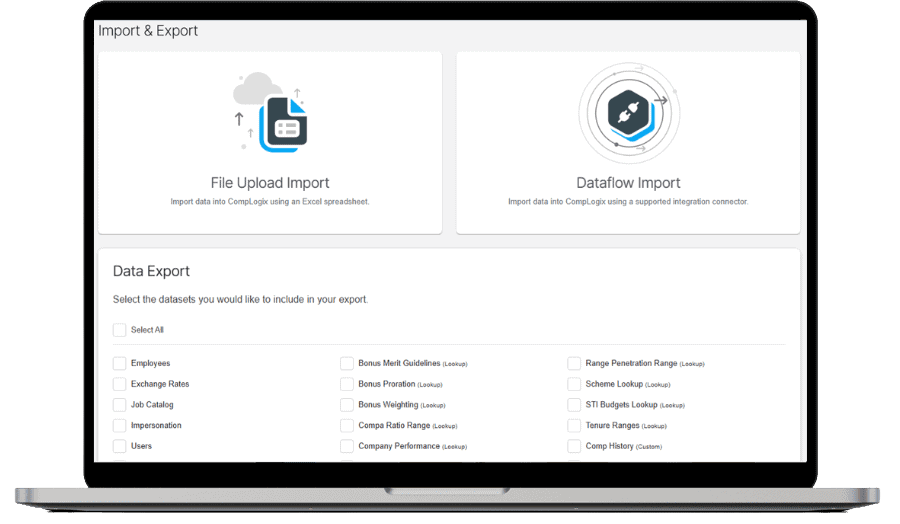
Easy Data Import & Export in Action
Move planning data in and out without friction
Import the latest employee and compensation inputs, run the cycle, then export clean outputs for approvals, audit trails, and finance handoff.
- Import updated rosters and compensation inputs with defined fields.
- Validate mappings and fix exceptions before the cycle progresses.
- Export recommendations, rollups, and final outputs in shareable files.
Frequently Asked Questions
How do you import data into CompLogix?
Import a structured file mapped to CompLogix fields. The platform validates required fields and flags exceptions, then loads records into the planning workflow so managers and approvers work from the same dataset.
What can you export from CompLogix?
Export current planning views, manager recommendations, rollups by department or manager, and finalized cycle outputs. Exports support finance reconciliation, audits, and post cycle reporting without recreating summaries in spreadsheets.
How does CompLogix reduce import errors?
CompLogix uses field mapping and validation checks to catch missing values, invalid formats, and mismatched identifiers before data is applied to plans, reducing downstream corrections and late cycle rework.