

Configurable User Roles & Permissions
Control access by role, team, and responsibility.
What are
Configurable User Roles & Permissions?
Configurable roles and permissions define who can view, edit, approve, and report on compensation data. It protects sensitive information, reduces accidental changes, and ensures managers only access the employees and budgets they own.
In CompLogix, admins assign role based access for HR, finance, leaders, and managers, then scope visibility to specific org units or populations so workflows stay secure while approvals and reporting remain efficient.
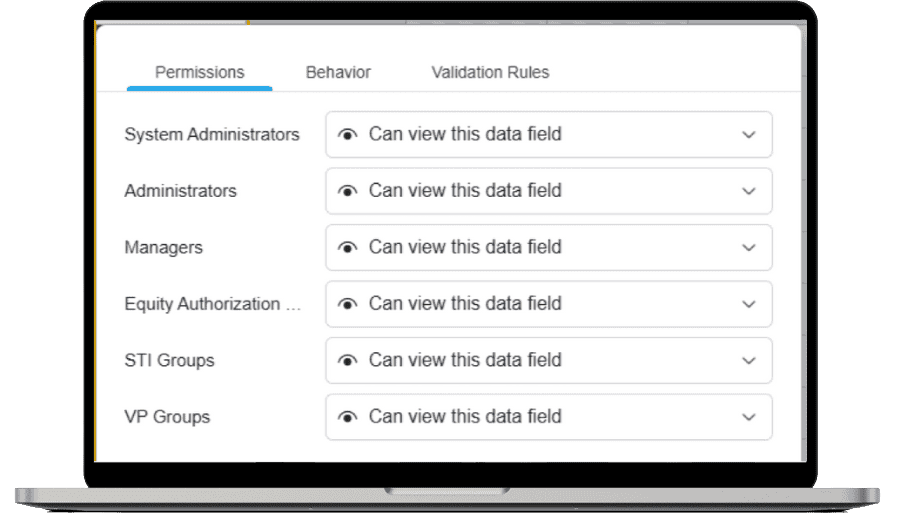
Configurable User Roles & Permissions in Action
Set access controls that match your org structure
Create roles, assign permissions, and scope access so each user sees the right employees, plans, and reports.
- Define roles for planners, approvers, HR, and finance.
- Limit access by department, manager hierarchy, or population.
- Audit access changes to keep governance consistent.
Frequently Asked Questions
How does CompLogix restrict what managers can see?
CompLogix scopes manager access to the employees and plans assigned to their responsibility area, limiting visibility outside that population while keeping the workflow usable during planning and approvals.
Can CompLogix support different permissions for HR and finance?
Yes. Admins can configure distinct roles so HR, finance, leaders, and managers have different capabilities, such as editing guidelines, approving plans, or exporting reports, based on internal governance requirements.
How are permission changes handled during a cycle?
Admins can update roles or access scope as org changes occur. CompLogix then applies the new permissions to ensure users only see and act on what they are authorized to manage for the remainder of the cycle.