

What is Calibration?
Calibration (9 box) aligns employee ratings by plotting performance and potential on a three by three grid and reconciling differences across managers. It reduces inconsistent scoring, surfaces outliers, and standardizes what strong performance and high potential mean for the organization.
CompLogix centralizes 9 box calibration inside the review cycle so leaders can compare placements across teams, focus discussion on outliers, document rationale, and finalize outcomes without stitching together spreadsheets or separate manager files.
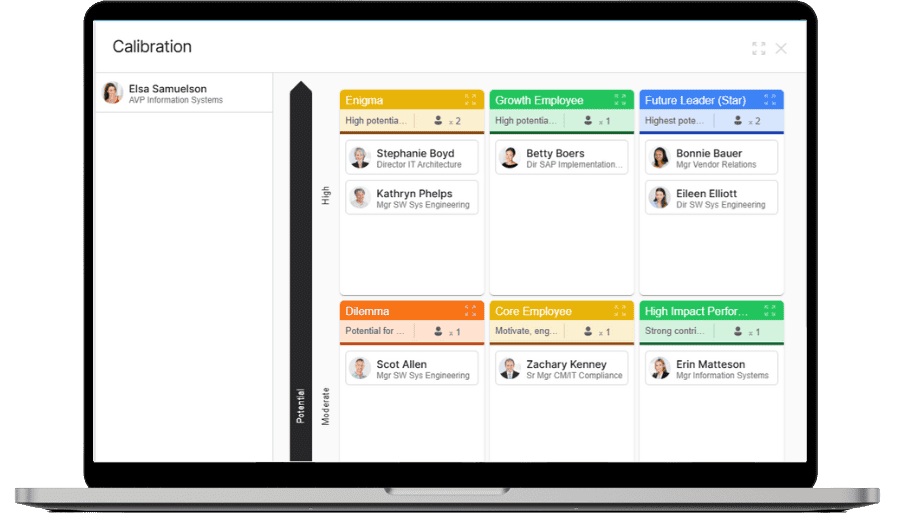
Calibration in Action
Facilitate calibration sessions with shared visibility
Use the shared 9-box view to focus discussion on outliers and inconsistent ratings, then confirm final placements and notes inside the same workflow used for the cycle.
- Filter the 9-box to compare teams and managers side by side.
- Review outliers and adjust placements with documented rationale.
- Finalize calibrated outcomes that feed planning and reporting.
Frequently Asked Questions
How do leaders review placements in CompLogix?
Leaders filter by manager, department, location, or job family, then review each segment in the same 9 box view to spot rating drift, outliers, and concentration in specific boxes.
Can CompLogix document calibration decisions and rationale?
CompLogix captures notes on placement changes and the criteria used, keeping rationale alongside final positions so HR and leaders can reference decisions during compensation reviews, promotion discussions, and audit questions.
What happens after calibration is finalized in CompLogix
After finalizing the grid, calibrated outcomes can be used as inputs for compensation planning and reporting, reducing rework caused by separate manager versions and inconsistent ratings across teams.